
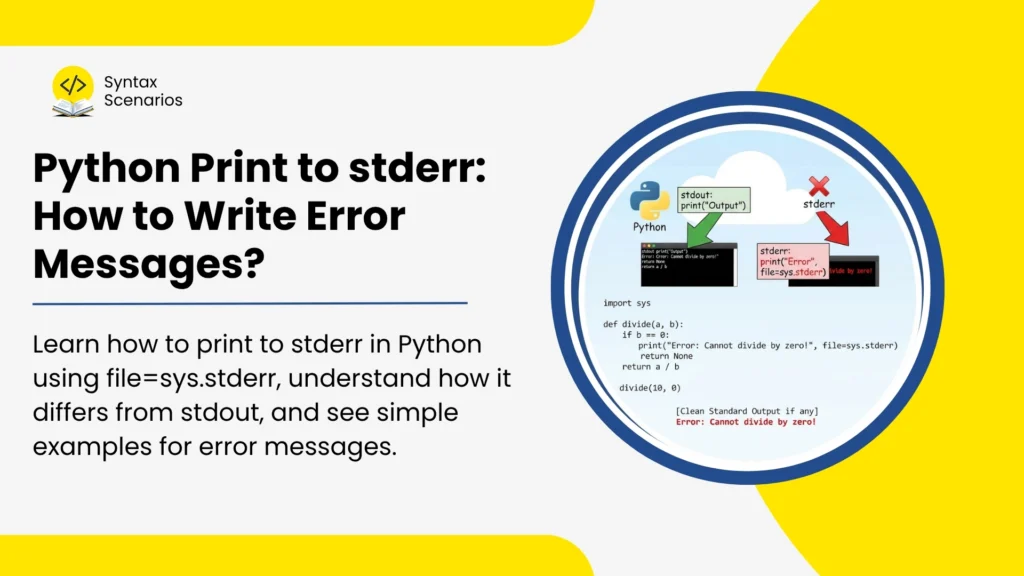

Learn how to print to stderr in Python using file=sys.stderr, understand how it differs from stdout, and see simple examples for error messages.
When we write a Python program, we often use print() to show messages on the screen. But not every message is the same.
Some messages are normal results. Some messages are errors, warnings, or debug messages. In Python, normal results usually go to stdout, while error messages should go to stderr.
In this article, we will learn how to print to stderr in Python using simple examples.
Key Takeaways
Here are the quick points you should know:
print()sends output tostdoutby default.- Use
file=sys.stderrto print error messages tostderr. stderris used for errors, warnings, and debugging messages.stdoutis used for normal program output.- For bigger programs, it is better to use Python’s
loggingmodule.
Quick Answer: How to Print to stderr in Python
To print to stderr in Python, import the sys module and pass file=sys.stderr inside the print() function.
import sys

print("This is an error message", file=sys.stderr)
Output:
This is an error message
The file=sys.stderr part tells Python to send the message to the standard error stream instead of normal output. This is the easiest way to show error messages in small Python scripts.
What Does stderr Mean in Python?
In Python, programs can send and receive data through different streams. A stream is like a path where data moves. Some data comes into the program, and some data goes out of the program.
Python mainly uses these three standard streams:
| Stream | Full Form | Used For |
|---|---|---|
stdin | Standard input | Reading input from the user |
stdout | Standard output | Showing normal program results |
stderr | Standard error | Showing errors, warnings, and debug messages |
So, stderr means standard error. It is the stream used for messages that are not part of the normal result of the program.
Real-Life Analogy
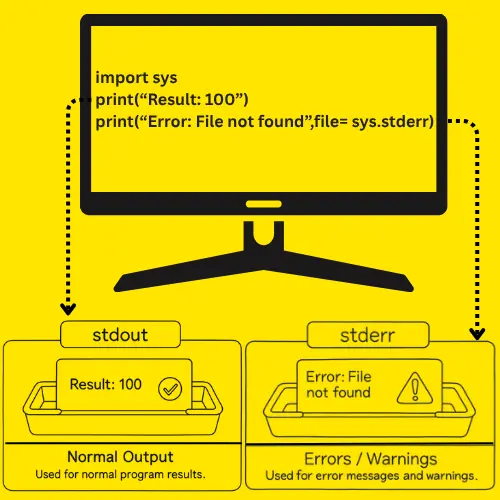
Imagine you are working in an office. One tray is for normal completed work. Another tray is only for problems, complaints, or urgent notes. If everything is mixed in one tray, it becomes hard to know what is normal work and what needs attention. stdout is like the normal work tray. stderr is like the problem tray. It keeps error messages separate from normal output.
Why Use stderr Instead of Normal print Output?
You should use stderr because it keeps error messages separate from normal program results.
Look at this example:
import sys

print("Result: 100")
print("Warning: using default value", file=sys.stderr)
Output:
Result: 100
Warning: using default value
Here, Result: 100 is the normal output. It is the actual result of the program.
But Warning: using default value is not the final result. It is only a warning, so it is better to send it to stderr.
This becomes very useful when you save program output to a file or run scripts in a terminal.
Print to stderr Using print()
The easiest way to print to stderr is by using the print() function with file=sys.stderr.
Syntax:
print("message", file=sys.stderr)Example:
import sys

print("Error: File not found", file=sys.stderr)
Output:
Error: File not found
Explanation:
import sysgives access to Python’s system streams.print()displays the message.file=sys.stderrsends the message to standard error instead of normal output.
Print to stderr Using sys.stderr.write()
You can also print to stderr using sys.stderr.write(). This method writes directly to the stderr stream.
Syntax:
sys.stderr.write("message\n")Example:
import sys

sys.stderr.write("Error: File not found\n")
Output:
Error: File not found
The important thing to remember is that unlike print(), sys.stderr.write() does not add a new line automatically. So, you need to add \n at the end of the message. If you do not add \n, the next output may appear on the same line.
Difference Between print(…, file=sys.stderr) and sys.stderr.write()
Both methods can write error messages to stderr, but they are not exactly the same.
| Method | Adds New Line Automatically? | Beginner-Friendly? | Best For |
print(..., file=sys.stderr) | Yes | Yes | Most simple scripts |
sys.stderr.write() | No | Medium | Lower-level stream writing |
For most beginners, print(..., file=sys.stderr) is the better choice. Use sys.stderr.write() only when you want more direct control over the stderr stream.
Example: Print Error Messages to stderr in a Python Script
Here is a simple example where we check if the age value is valid or not.
import sys

age = -5

if age < 0:
    print("Error: age cannot be negative", file=sys.stderr)
else:
    print("Age is valid")
Output:
Error: age cannot be negative
Explanation:
- In this example, the
ageis-5. - An
agecannot be negative, so the program prints an error message tostderr. - If the
agewas valid, the program would print a normal message using regularprint().

Example: stderr vs stdout When Redirecting Output
The real benefit of stderr becomes clear when you redirect output.
Look at this simple program:
Example Code:
import sys

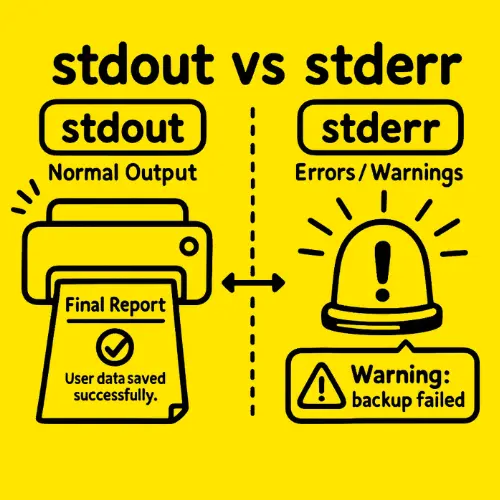
print("User data saved successfully")
print("Warning: backup failed", file=sys.stderr)
Now run the file in the terminal like this:
python app.py > output.txt
Output:
User data saved successfully
The normal output will be saved in output.txt. But the warning can still appear in the terminal because it was sent to stderr. This is helpful because error messages do not get mixed with normal saved output.
Simple Analogy
Think of it like a printer and an alarm. The printer prints the final report. The alarm tells you if something went wrong. You do not want the alarm message printed inside the final report. You want it separate, so you can fix the problem quickly. That is why stderr is useful.
Use flush=True When You Need Immediate Error Output
Sometimes, Python may wait before showing output. This can happen in long-running scripts, terminals, or CI logs. If you want the error message to appear immediately, use flush=True.
Example Code:
import sys

print("Critical error", file=sys.stderr, flush=True)
Output:
Critical error
Explanation:
flush=True forces Python to show the message right away. This is useful when you are debugging a program and want to see the error without delay.
Should You Use stderr or Python logging?
Use print(..., file=sys.stderr) for small scripts and quick error messages. But for bigger programs, Python’s logging module is usually better.
Logging is useful when you need:
- Error levels like warning, error, and critical
- Time and date with each message
- Log files
- Better debugging in production apps
Example Code:
import logging

logging.error("Something went wrong")
Output:
ERROR:root:Something went wrong
This is not a full logging tutorial, but the basic idea is simple. Use stderr for small and simple messages. Use logging when your app grows.
Common Mistakes When Printing to stderr
Here are some common mistakes beginners make when printing to stderr in Python.
Forgetting to Import sys
This code will cause an error:
print("Error", file=sys.stderr)Why? Because sys has not been imported.
The correct version is:
import sys

print("Error", file=sys.stderr)
In this example, sys is a built-in Python module, so we only need to import it before using sys.stderr. Imports are simple in small scripts, but they can become confusing when your project has multiple files or when you are importing from parent directories in Python.
Forgetting the New Line with sys.stderr.write()
This code works, but it does not add a new line:
import sys

sys.stderr.write("Error")
A better version is:
import sys

sys.stderr.write("Error\n")
The \n moves the next output to a new line.
Using stderr for Normal Program Output
Do not use stderr for normal results. For example, this is not a good idea:
import sys

print("Total price: 500", file=sys.stderr)
If the message is part of the actual result, use normal print().
print("Total price: 500")Use stderr only for errors, warnings, and diagnostic messages.
FAQs
How do you print to stderr in Python?
You can print to stderr in Python by importing the sys module and using file=sys.stderr inside the print() function.
import sys

print("Error message", file=sys.stderr)
This sends the message to the standard error stream.
What is stderr used for in Python?
stderr is used for error messages, warnings, and diagnostic output. It helps keep problem messages separate from normal program output. This is useful when saving output to a file or debugging a script.
Is stderr the same as stdout?
No, stderr and stdout are not the same. stdout is used for normal output, such as program results. stderr is used for errors, warnings, and debug messages.
Does print() write to stderr by default?
No. The print() function writes to stdout by default. If you want to write to stderr, you need to use file=sys.stderr.
import sys

print("Error", file=sys.stderr)
Should I use print to stderr or logging?
Use print(..., file=sys.stderr) for small scripts and quick error messages. Use logging for larger programs where you need timestamps, log levels, log files, or better debugging.
Conclusion
Printing to stderr in Python is simple. You only need to import sys and pass file=sys.stderr inside the print() function.
import sys

print("This is an error message", file=sys.stderr)
Use stdout for normal program results. Use stderr for errors, warnings, and debugging messages.
For most small scripts, print(..., file=sys.stderr) is enough. For bigger projects, use Python’s logging module.
Since stderr examples are easier to understand when you run them yourself, you can test the code in the Syntax Scenarios Python Compiler and check how the output appears.
If you are learning Python step by step, the Python tutorials at Syntax Scenarios can help you practice more beginner-friendly concepts.